MarimbaSS
| Version | 5.0 |
| Price | $3.99 |
| Category | Instruments / Percussions |
| Rating |
|
| Compatible with |
|
| Languages | , , , , |
| Release Date | Mar 9, 2011 |
| Updated On | Sep 28, 2017 |
| Size | 15.6 Mo |
| Downloads | 29 |
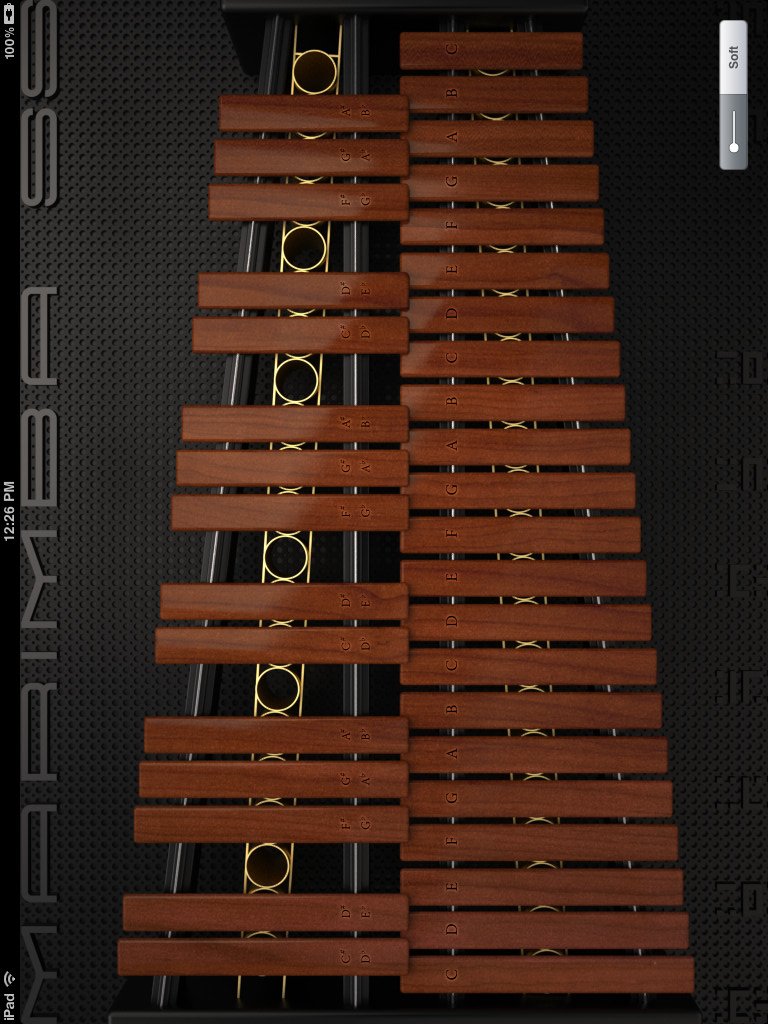
MarimbaSS is a xylophone application. This application displays 3 octaves on the screen, and you don't need to change octaves to play them. You can also switch between hard tone and soft tone by tapping the button at the bottom right of the screen.
Added the recording function!
It picks the surrounding sounds as well, and you can use it in many different ways such as recording your vocals or creating a voice memo. You can also send the recorded data via email.
Note that the maximum attachment size of an email depends on the iOS device you are using. Please contact your cell phone service provider for further information. - A 10 seconds recording is around 450 kB.
Support iTunes file sharing(
Added the recording function!
It picks the surrounding sounds as well, and you can use it in many different ways such as recording your vocals or creating a voice memo. You can also send the recorded data via email.
Note that the maximum attachment size of an email depends on the iOS device you are using. Please contact your cell phone service provider for further information. - A 10 seconds recording is around 450 kB.
more...
MarimbaSS is a xylophone application. This application displays 3 octaves on the screen, and you don't need to change octaves to play them. You can also switch between hard tone and soft tone by tapping the button at the bottom right of the screen.
Added the recording function!
It picks the surrounding sounds as well, and you can use it in many different ways such as recording your vocals or creating a voice memo. You can also send the recorded data via email.
Note that the maximum attachment size of an email depends on the iOS device you are using. Please contact your cell phone service provider for further information. - A 10 seconds recording is around 450 kB.
Support iTunes file sharing(http://support.apple.com/kb/HT4094?viewlocale=en_US)
Added the play with other music app button on the right side of the record button (however, this disables the recording). For example, you can play along with your favorite songs on Music app.
Now you can select the audio file format when recording. If you want to send a file via email, record at "22kHz / 8 bit" to reduce the file size.
Users who have a problem with the musical instrument app that doesn't make any sound. (http://support.apple.com/kb/HT5137?viewlocale=en_US)
Range: C40-C76 3 octaves (37 keys) - iPad, iPad mini
Range: C52-C76 2 octaves (25 keys) - iPhone, iPod Touch
Tone: Hard/Soft (2 types/Toggle)
Display scale on keyboard Support orientation Record button / Play button / Stop button / Send the sound data via Email button Support iTunes file sharing Play with other music app button
Added the recording function!
It picks the surrounding sounds as well, and you can use it in many different ways such as recording your vocals or creating a voice memo. You can also send the recorded data via email.
Note that the maximum attachment size of an email depends on the iOS device you are using. Please contact your cell phone service provider for further information. - A 10 seconds recording is around 450 kB.
Added the play with other music app button on the right side of the record button (however, this disables the recording). For example, you can play along with your favorite songs on Music app.
Now you can select the audio file format when recording. If you want to send a file via email, record at "22kHz / 8 bit" to reduce the file size.
Range: C40-C76 3 octaves (37 keys) - iPad, iPad mini
Range: C52-C76 2 octaves (25 keys) - iPhone, iPod Touch
Tone: Hard/Soft (2 types/Toggle)
less...


You must sign-in to post your comment:
You can signin with your 440Software account (MacMusic, PcMusic, 440TV, 440Forums, 440Software, ...) or via FaceBook, Twitter or Google.